Summary
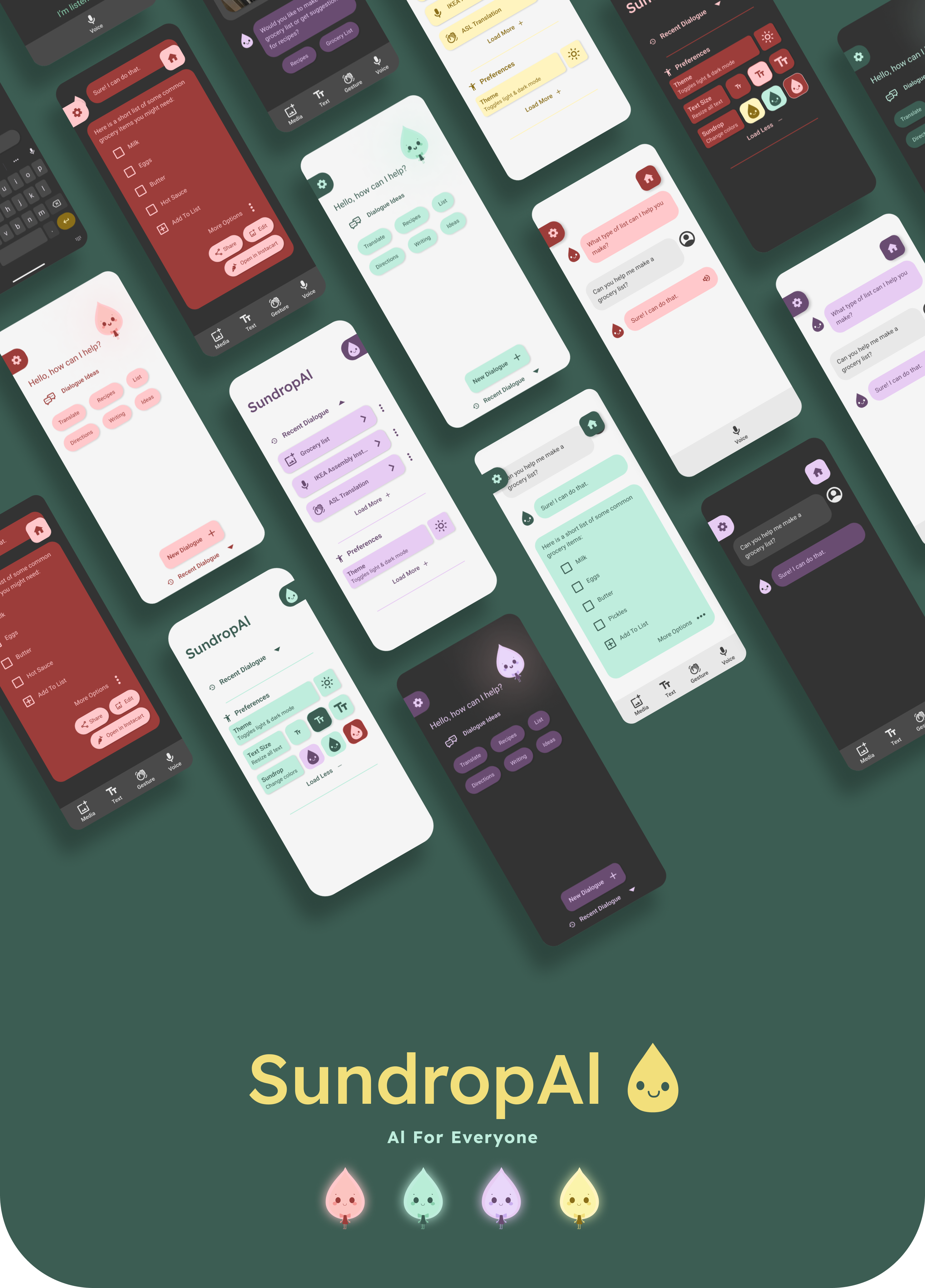
An AI application designed to transform interaction and engage people with a friendlier, more accessible multimodal user interface.
My Role
As a UX designer on a team of three, my responsibilities were defining objectives, research planning, research analysis, problem definition, prototyping, and usability testing.
Scope
Our team of three UX Design Students had 3 weeks to design our solution and test our prototype.
Problem
Users with a limited experience using AI struggle to adopt this new technology due to lack of context for use, unengaging visual style, and a lack of understanding of the capabilities of these tools.
Additionally, many people are concerned about AI technologies and their capabilities.

Methodology
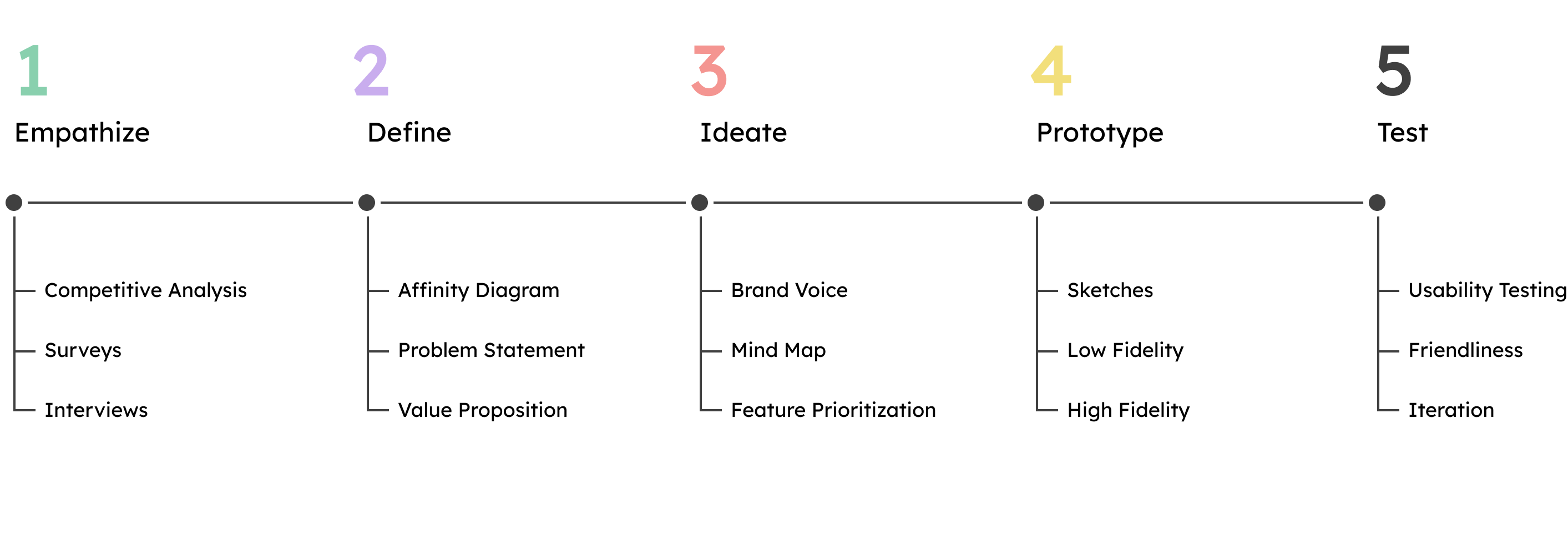
We began our work by defining the structure of our project, categorizing tasks into five design phases: empathize, define, ideate, prototype, and test.
Competitive Analysis
To begin our research, my team set out to understand the frontier field of generative artificial intelligence tools. This was an important step considering how rapidly these tools were evolving during our project: it had been only a few weeks since OpenAI released ChatGPT 4's multimodal capabilities to it's users, so we dove in.

Surveying
We surveyed 42 people, between two surveys, with our primary demographic being educated people aged 18-44 making under $50,000 a year. We discovered a few key insights from this data; particularly surprising was that over 80% of those surveyed who had used AI technology believe the technology has had a positive impact on their productivity.
46.7% of users said they rarely or never interact with AI.
53.4% of users claim AI has had very little to no impact on their lives.
56.7% of users are concerned about AI capabilities.
Interviews
We interviewed 8 users, focusing our questions on uncovering why users are so hesitant to adopt & integrate AI technology in their personal & work life. We uncovered a lot of useful insights, including a much higher rate of voice-to-text usage than we would have guessed. Many users also expressed either neutral or negative attitude towards current AI visual design.
"I use voice-to-text to make lists all the time."


“I think that current AI chatbots look dull and boring.”
"I wish AI could reach across my phone and interact with my other apps."

Affinity Diagram

We analyzed our research data and mapped it to an affinity diagram, categorizing our user’s responses into actionable insights. We even used FigJam's new AI features assist us in sorting and summarizing the data.

Value Proposition
We believe that all people deserve to feel empowered by AI technology. By designing a solution that applies UX design principles to multimodal capabilities, as well as offering contextual assistance, we believe we can increase popular understanding of how AI can have a positive impact on people's lives.
Brainstorming
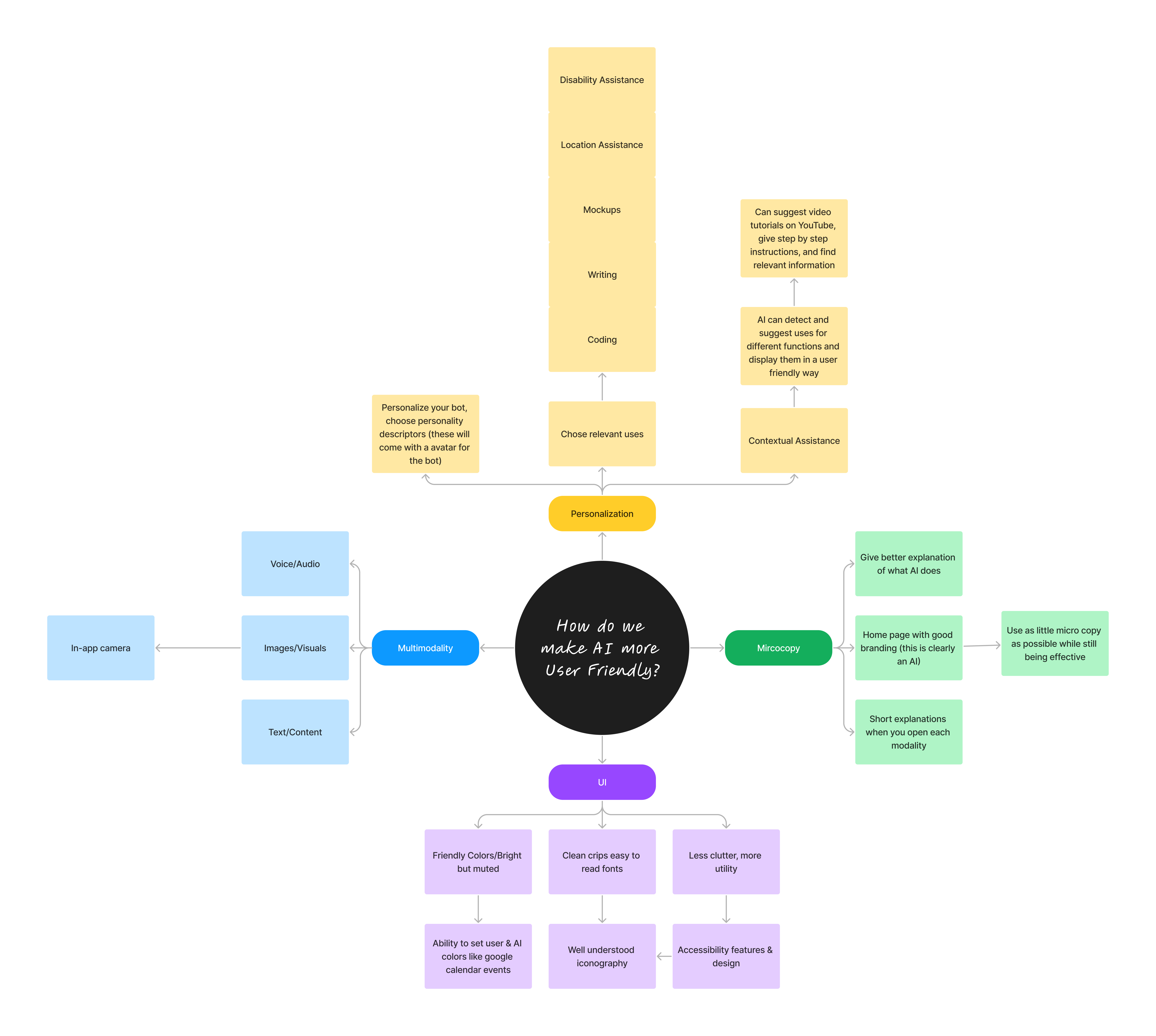
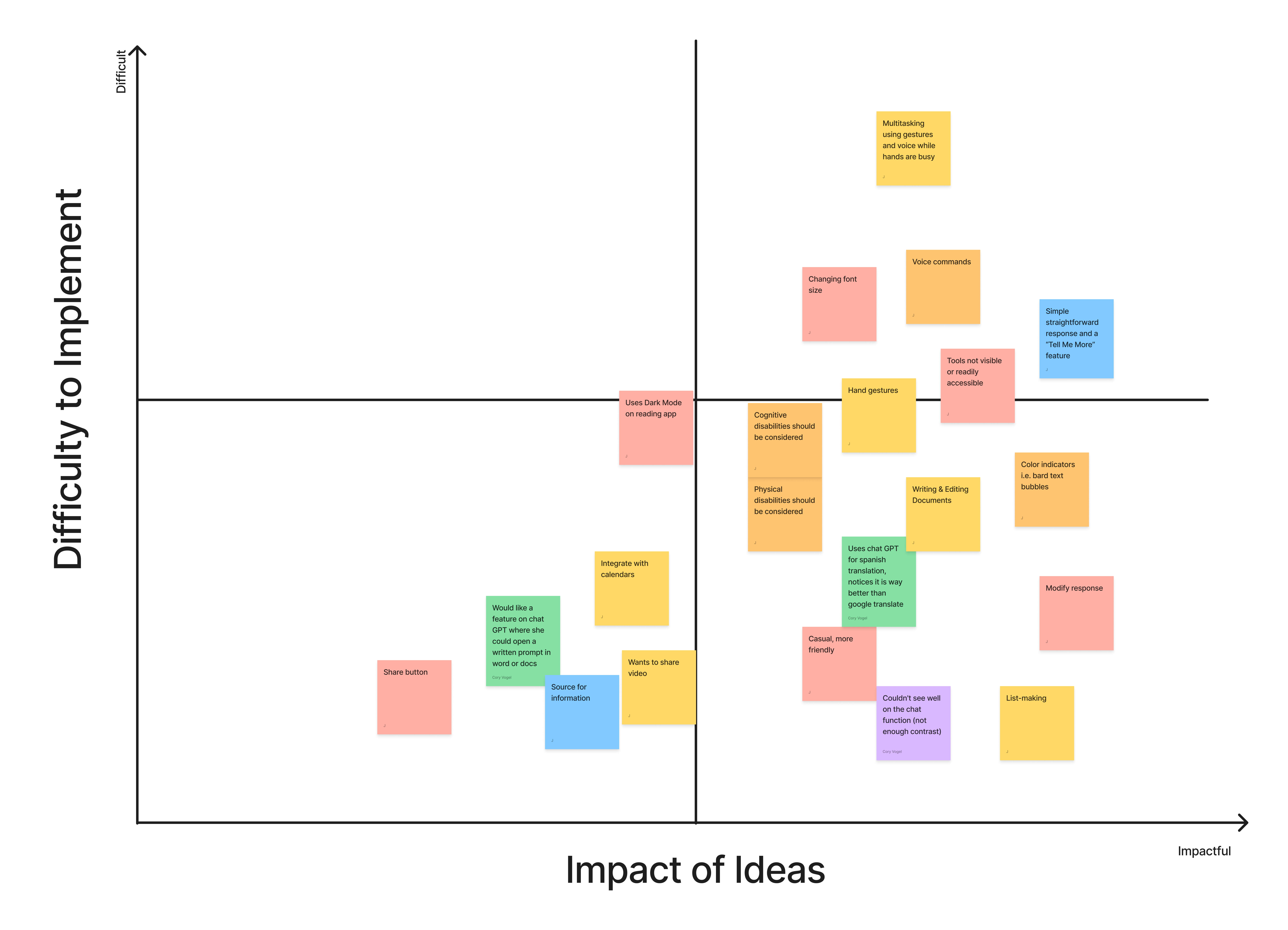
With our problem defined and a path towards a solution, we started brainstorming ideas using the Mind Map method, as well as sorting our user's insights by their impactfulness and feasability on a feature prioritization matrix. We asked ourselves the question over and over again:
How do we make AI more user friendly?
Meet Sunny
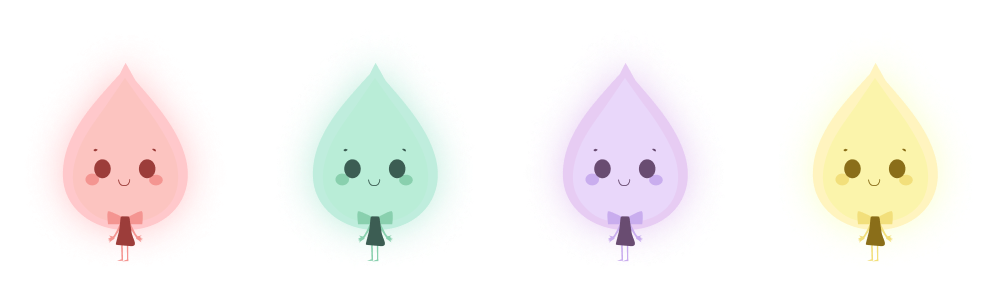
Our loveable mascot, Sunny, was developed with AI and tested with users. Sunny guides users through the application, providing contextual assistance and responding to user inputs with friendly, easy to understand language.

Rapid Prototyping
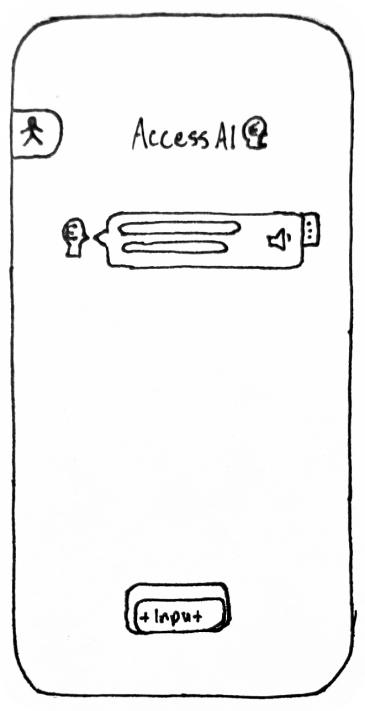
The Prototyping phase began with a simple hand sketched wireframe. Some inital ideas about how to display features and options, such as the accessibility sidebar, began their journey here, to be iterated and tested upon throughout prototyping.
Sketch
Our original sketch featured a simple input button, the accessibility sidebar, and an example of an AI response with a voice indicator, more options button, and an icon indicating the response came from the AI.
Low-Fidelity
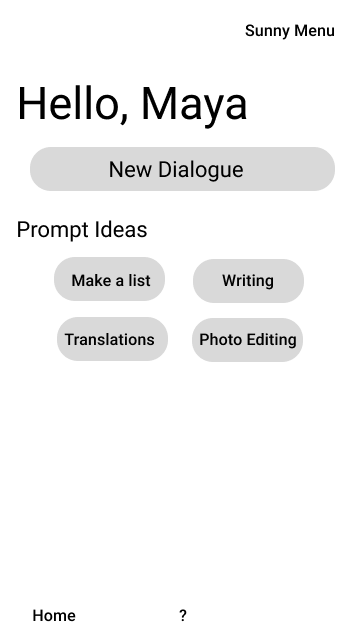
Another early wireframe prototype featured a friendier idea of an AI home page, with prompt suggestions. The primary CTA uses the term "Dialogue" which our users agreed was friendlier than "Exchange" or "Interaction".
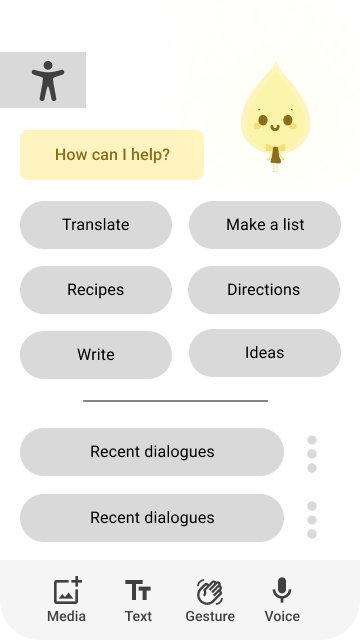
Mid-Fidelity
Bringing a friendly companion into the application was a hit with our users! We also replaced the "New Dialogue" button with a multimodal toolbar, which our users found useful while interacting via multiple input modes.
Usability Testing
All in all, we tested our final prototype with 6 people, and rated the ease with which they completed two tasks. Our users were successful on both tasks around 80% of the time. While the success rate was high, we saw users face challenges with contextual assistance and recognizing the next step to take.

Prototype
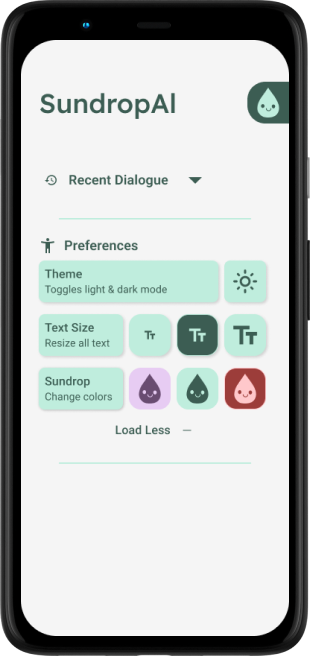
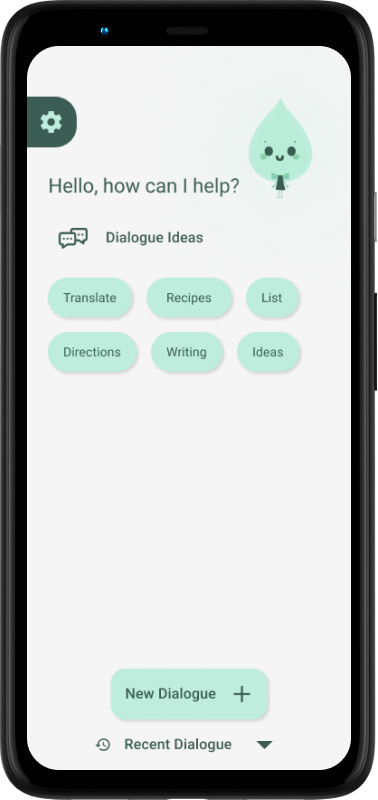
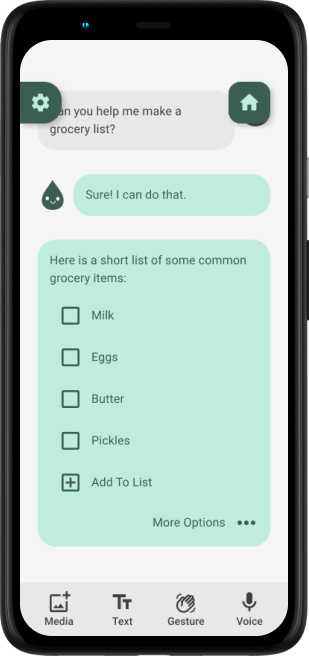
In the final mobile prototype for SundropAI, we sought to build a useful, accessible artificial intelligence application for everyone. We looked back constantly on our initial research, as well as testing new features and paths as we prototyped. We focused on a user story in which a busy working mother is interested in discovering how AI might help her with an everyday task: grocery shopping.
Future Opportunities & Next Steps
1.
Continued research into user attitudes towards AI and it's current interfaces.
2.
Explore new ways and modalities users can utilize to interact with AI technology.
3.
Continue to test prototype to refine design choices and outcomes.
Thank you for checking out my case study!